
- 2025
- AI,Machine Learning, Analytics
- Apache Spark
- Azure
- Cloud Management
- Git
- Hadoop
- Hive
- MSSQL
- SQL
- SQL Server Integration Services
AdventureWorks360 – Unified Analytics Platform on Azure
Date:
September 1, 2025
@author: gggordon
This project demonstrates practical, end-to-end use of core Azure Data Engineering services by integrating batch and streaming data pipelines. It improves visibility into daily product category sales, enables faster responses to sales events through real-time processing, and enhances data accuracy using Cosmos DB and MDM. Additionally, it supports cost optimization through effective monitoring and orchestration, showcasing a cloud-native approach to building scalable, insights-driven data solutions.
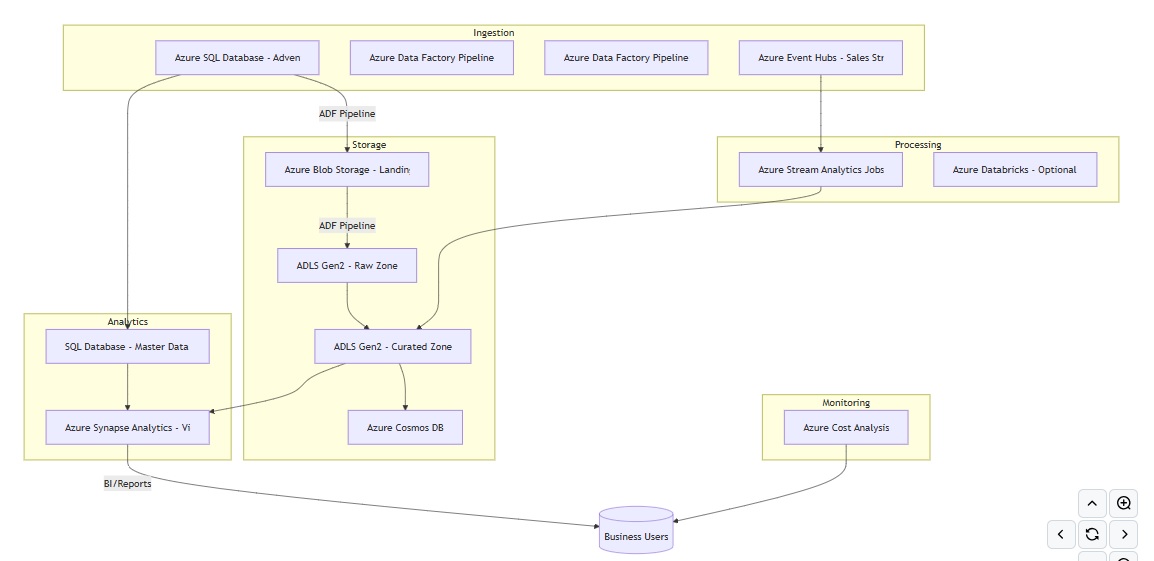
This demo shows how AdventureWorks, a traditional relational dataset, can be modernized into a 360° analytics platform on Azure. By combining:
- Data Factory for orchestration,
- Data Lake for raw/curated storage,
- Stream Analytics + Event Hub for real-time ingestion,
- SQL & Synapse for analytics,
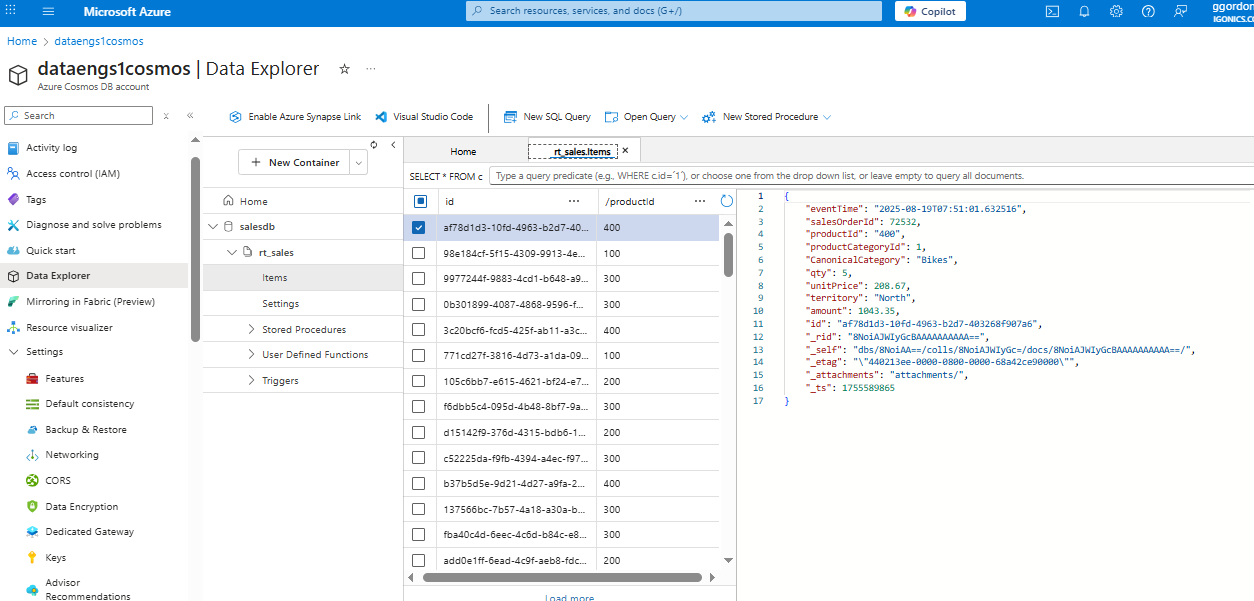
- Cosmos DB for flexible JSON views,
- Cost Analysis for governance,
thereby achieving a scalable, flexible architecture that addresses both batch reporting and real-time analytics use cases.
Project Goals
- Increase visibility into enterprise data by unifying different data sources.
- Decrease latency in reporting by introducing real-time streaming pipelines.
- Maximize data quality and governance with master data management.
- Enable flexible, scalable analytics across both structured (SQL) and semi-structured (JSON) data.
- Provide a cost-conscious architecture with clear monitoring of usage and spend.
Architecture Overview
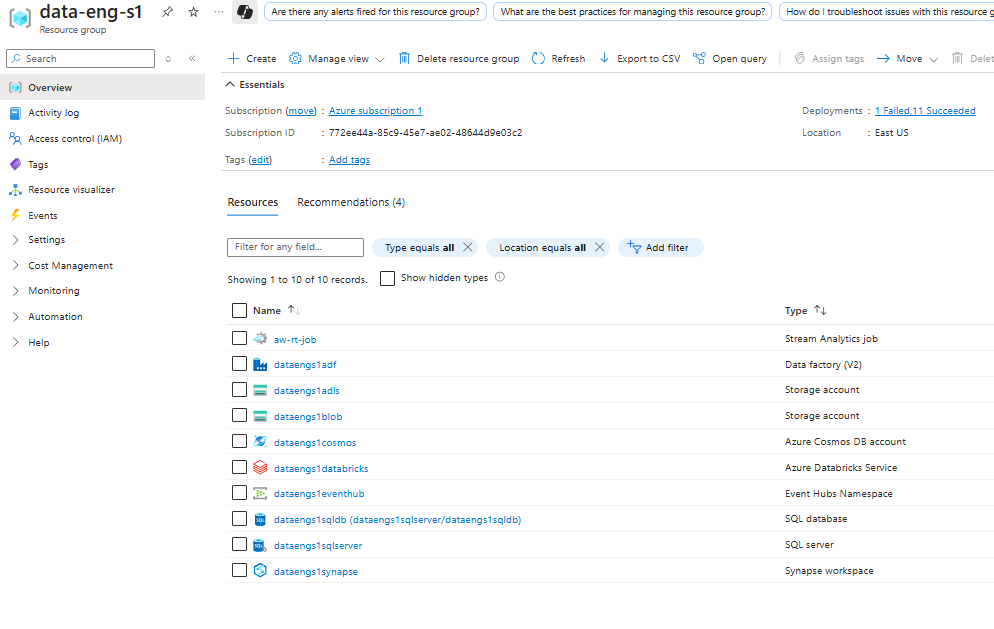
Resource Group Overview
Data Ingestion
AdventureWorks sales data is ingested using Azure Data Factory pipelines.
- SQL → Blob
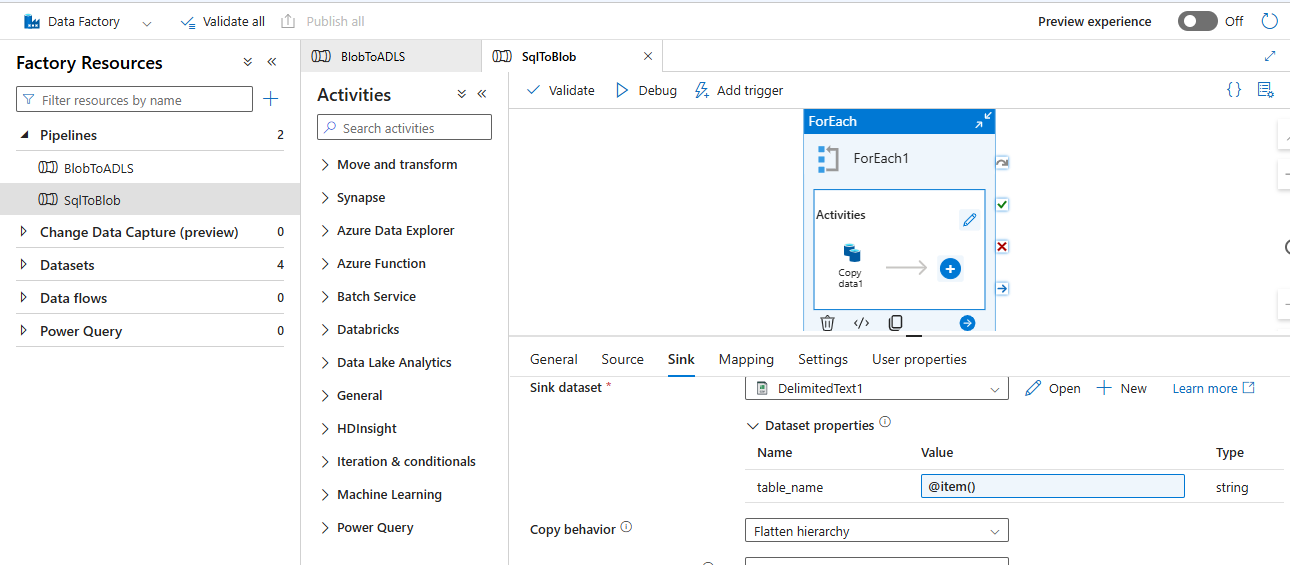
- Blob → Data Lake Gen2

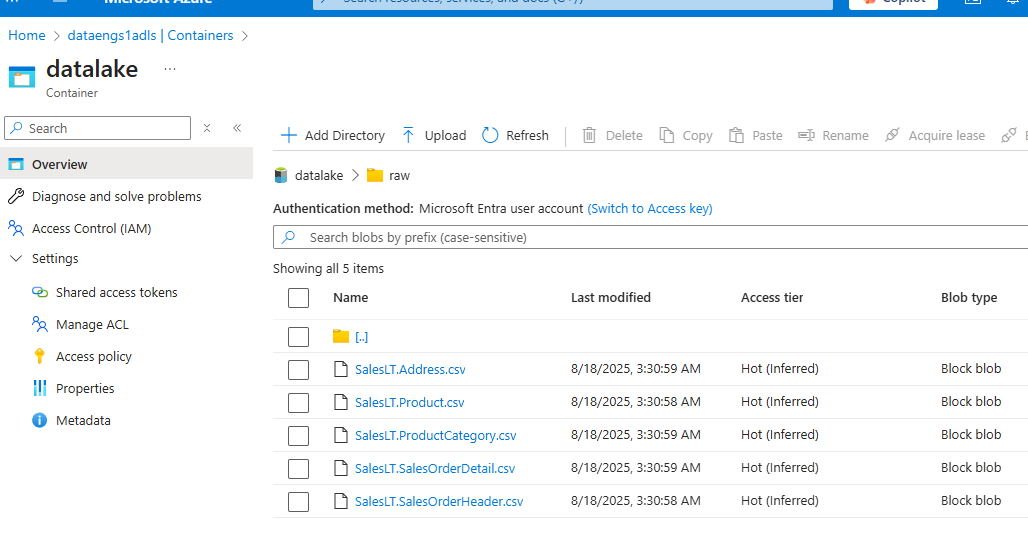
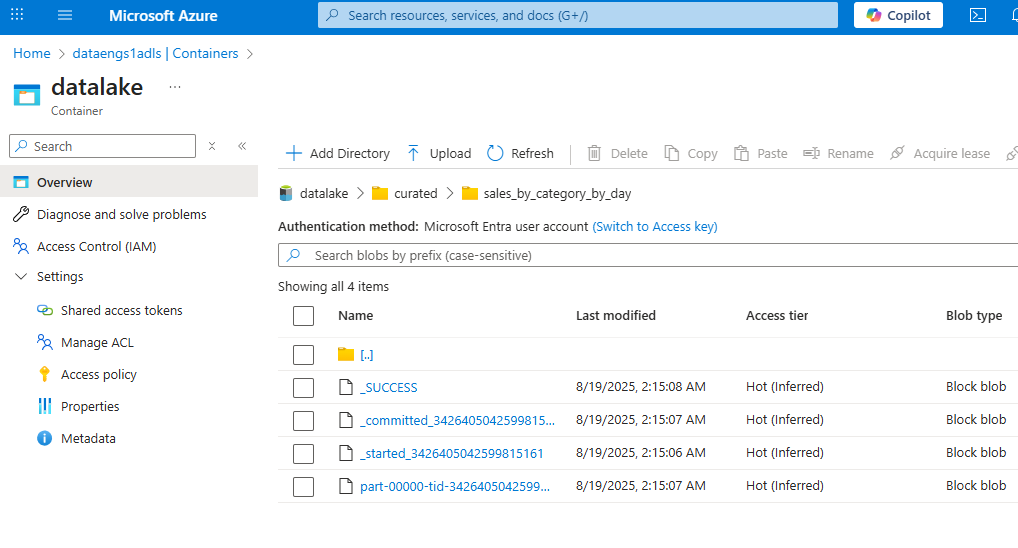
Data Lake Structure
- Raw Layer
- Curated Layer
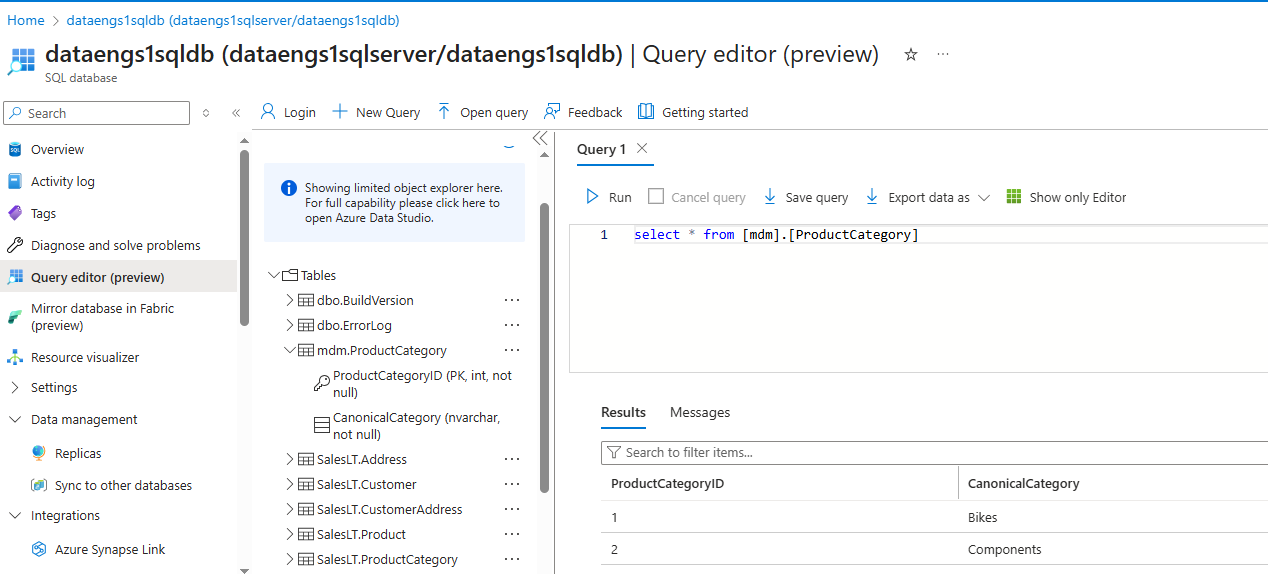
Master Data Management
Product categories consolidated in Azure SQL Database:
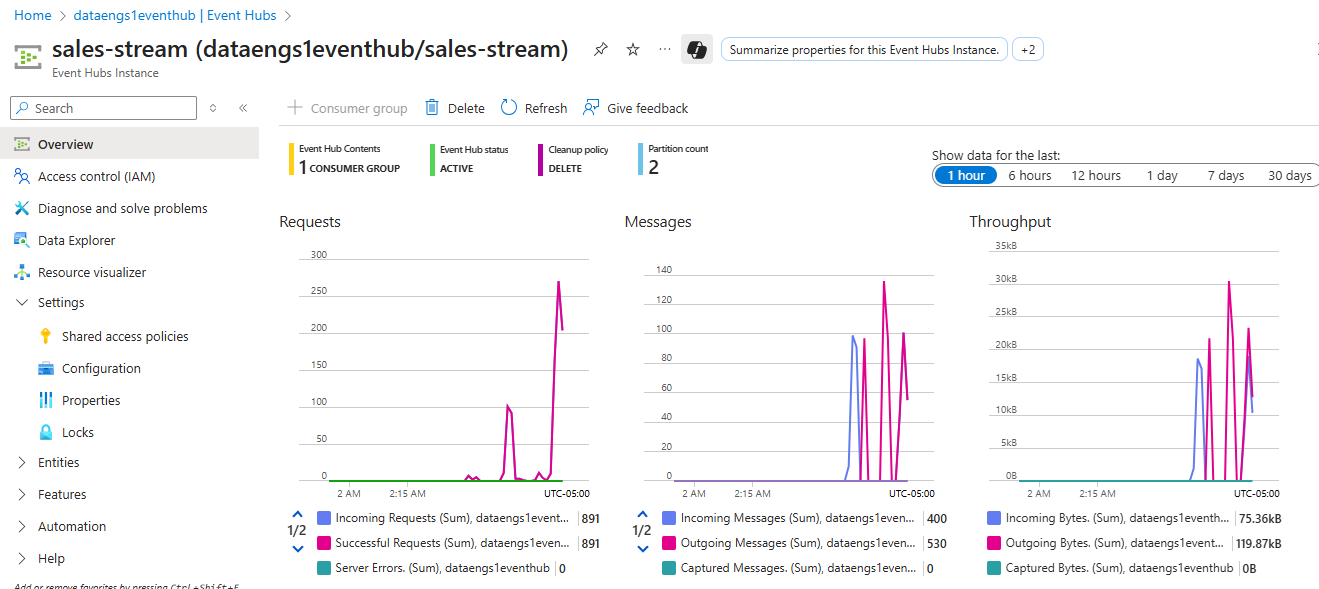
Streaming Analytics
- Streamed data from Event Hubs:

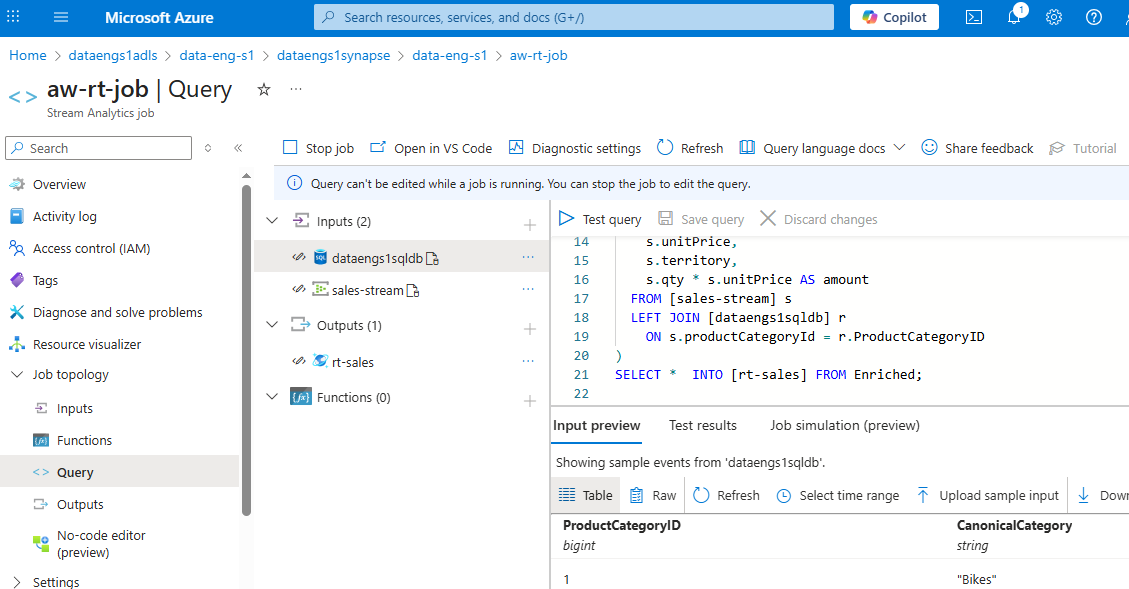
- Stream Processing with Azure Stream Analytics:
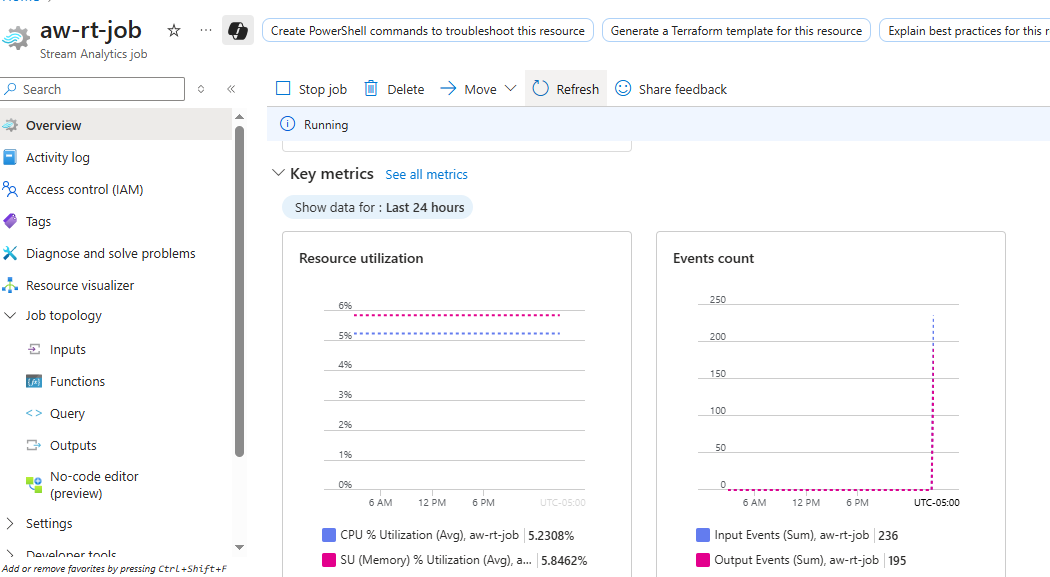
Analytics & Reporting
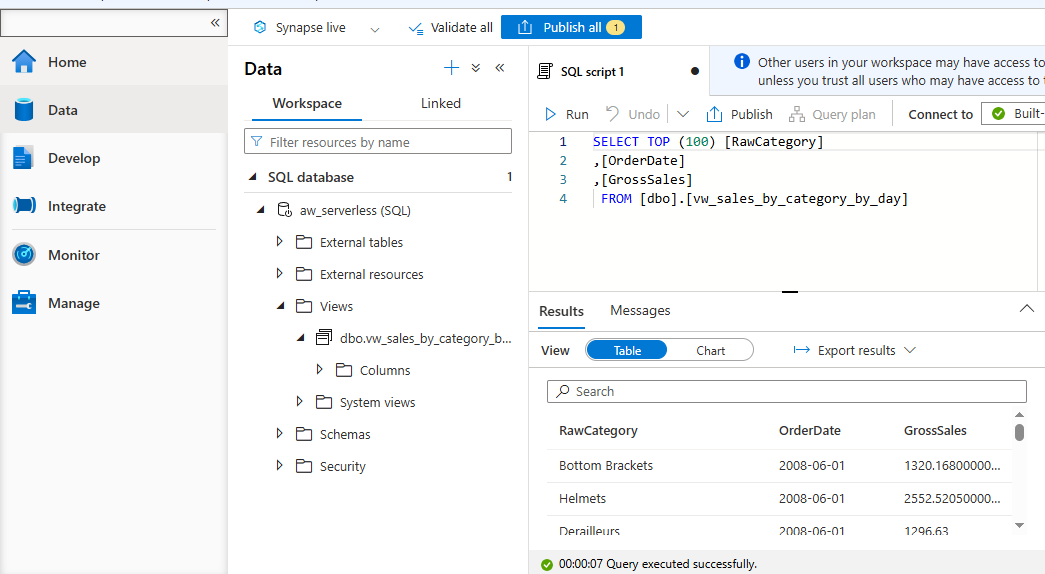
- Sales by category/day in Azure Synapse Analytics:
Cosmos DB
Consolidated JSON view for customer analytics:
Cost Analysis
Mointoring spend:
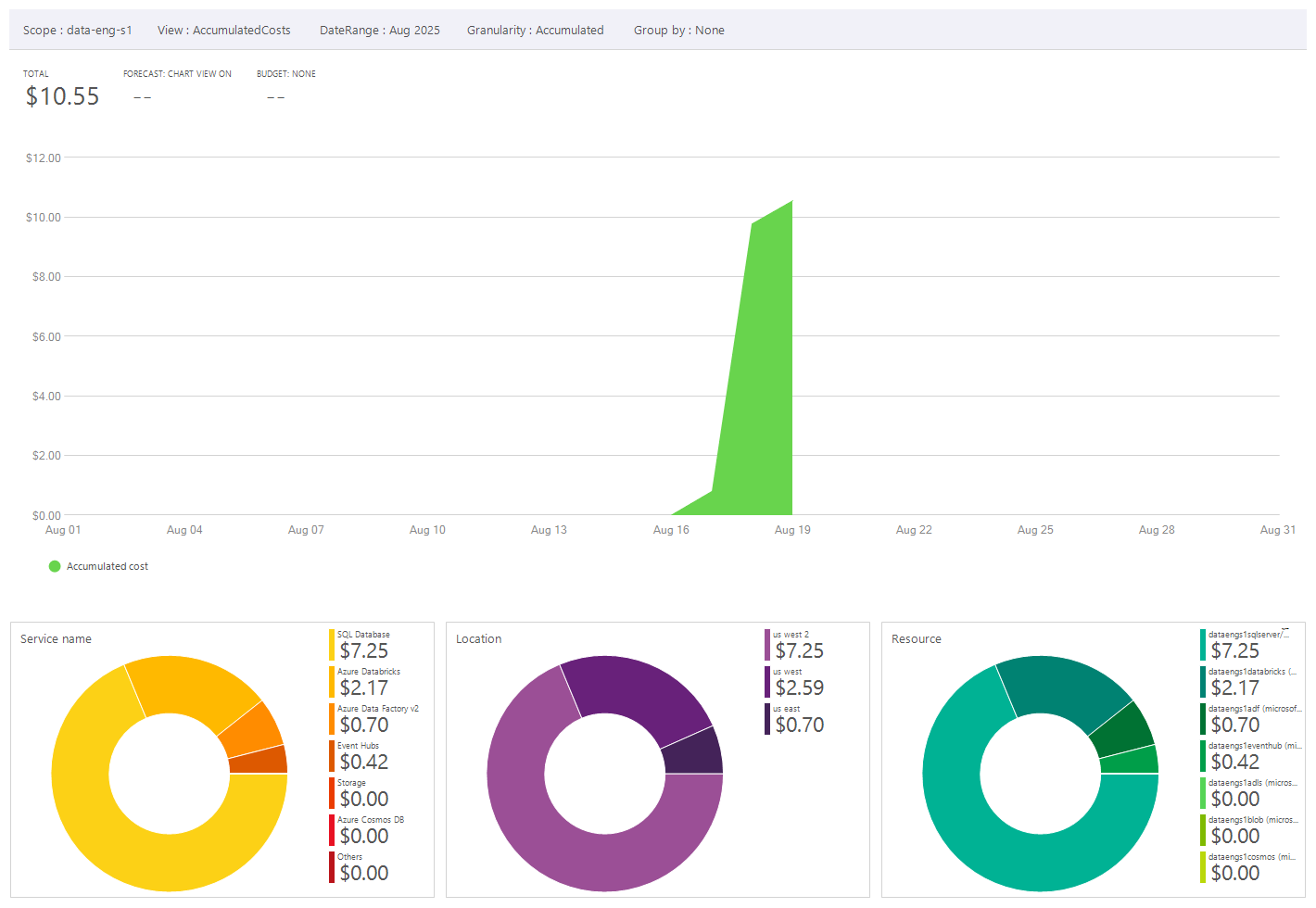
NB: Even though the project didn’t require this much time, it shows how expensive breaks can be and how activities and costs should be monitored around that. Furthermore this view does not include alerts and scheduled activities which can be used to monitor and manage costs.
A few additional notes
A few additional notes for Real-World Deployments
- Security & Authentication: Use Managed Identities and Role-Based Access Control instead of SAS tokens in production.
- Data Governance: Establish naming conventions, metadata tracking, and data lineage for the Data Lake.
- Performance Tuning: Scale Stream Analytics and Synapse queries based on data volume.
- Cost Management: Regularly review Azure Cost Analysis to avoid unused resources consuming budget.
- Monitoring & Alerting: Implement Azure Monitor and Log Analytics for proactive monitoring of data pipelines and jobs.